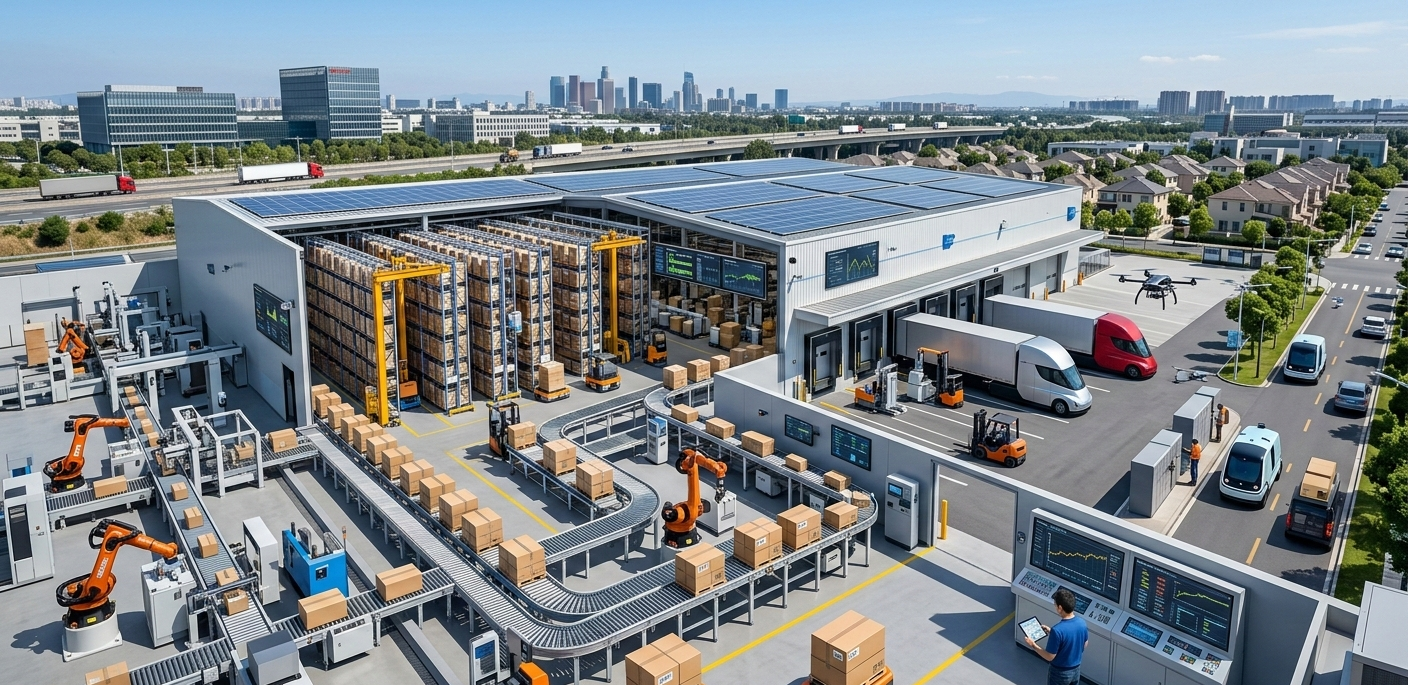
Moving goods from one location to another might seem like an easy task from the outside. However, there is a whole process that goes on behind every item that you see on the shelf or on the website. The raw materials have to be ordered. Goods must be made. Items must be packed, stored, and shipped. Data must be tracked at every step. When this chain breaks, delays and losses follow.
This is where supply chain automation tools change the game. They help businesses handle tasks with less manual work and fewer errors. From order processing to warehouse updates and delivery tracking, automation connects each step into one smooth flow. In this blog, you will learn what end-to-end automation is, how it is done, the important benefits of supply chain automation, the most popular tools used for supply chain automation, the most common use cases of supply chain automation, and how supply chain workflow automation helps in end-to-end logistics automation.
Now, let’s explain it in a simpler way.
What Is End-to-End Supply Chain Automation?
Before we examine the tools and results, it is important to define what this term actually means.
End-to-end supply chain automation refers to the application of interconnected software systems to manage the entire life cycle of a product. This process begins when a business purchases raw materials and extends through manufacturing, warehousing, and ultimately delivering the product to the customer. Rather than depending on humans to manually input information, send emails, or follow updates, automated systems are responsible for these activities based on predetermined rules and real-time data.
In simple words, automation links every key step in the supply chain, such as:
• Purchasing raw materials
• Production planning and execution
• Inventory tracking
• Warehouse management
• Shipping coordination
• Delivery tracking
• Customer notifications
When all these stages are connected through technology, information flows without gaps. This reduces delays, prevents mistakes, and gives businesses better control over their operations.
Why Do Businesses Need Automation in Their Supply Chain?
Many companies still use emails, spreadsheets, and manual entries. These methods create gaps. When one team updates data and another does not see it, confusion begins.
Automation solves this problem by:
• Sharing real-time data across departments
• Reducing human errors
• Speeding up approvals and order processing
• Tracking inventory without guesswork
Without automation, companies struggle with late shipments, excess stock, lost orders, and rising costs. With automation, the chain becomes clear and easy to manage.
What Are the Main Supply Chain Automation Benefits?
Let us answer this in a direct and clear way.
1. Better Accuracy
Manual data entry leads to mistakes. Automated systems pull data from one source and update all connected systems. This reduces wrong shipments and billing errors.
2. Faster Order Processing
When a customer places an order, the system can:
• Check stock levels
• Reserve inventory
• Generate invoices
• Inform the warehouse
• Arrange shipping
All this happens in minutes.
3. Real-Time Visibility
Managers can see stock levels, shipment status, and supplier updates in one dashboard. This helps in faster decision-making.
4. Lower Operational Costs
Automation reduces paperwork and repetitive work. Teams can focus on planning and growth instead of routine tasks.
5. Stronger Supplier Coordination
Automated alerts inform suppliers when stock reaches a set limit. This avoids sudden shortages.
These supply chain automation benefits help both small and large companies build a stable system.
How Does Supply Chain Workflow Automation Work?
Every supply chain follows a workflow. A workflow is a step-by-step path that tasks follow. When you automate this path, you remove delays between steps.
Supply chain workflow automation works through:
1. Defined rules – The system knows what to do when a trigger happens.
2. Integrated software – ERP, warehouse systems, and shipping tools connect.
3. Automated alerts – Teams receive updates without sending emails.
4. Data sharing – All systems pull data from one central source.
For example, when stock falls below 100 units, the system sends a purchase request to the supplier. No one needs to check stock manually.
This makes daily work smooth and organized.
What Are the Most Used Supply Chain Automation Tools?
Many digital platforms support automation. The choice depends on company size and needs. Here are the main types of supply chain automation tools used by businesses:
1. Enterprise Resource Planning (ERP) Systems
ERP systems connect finance, purchasing, inventory, and sales in one platform. They reduce data silos and keep all teams aligned.
2. Warehouse Management Systems (WMS)
WMS software manages stock movement inside the warehouse. It tracks incoming goods, storage location, and outgoing shipments.
3. Transportation Management Systems (TMS)
TMS helps plan routes, select carriers, and track deliveries. It reduces shipping delays and improves visibility.
4. Inventory Automation Software
This tool monitors stock levels and sends alerts for reorder points.
5. Robotic Process Automation (RPA)
RPA handles repetitive digital tasks such as invoice matching and order entry.
These supply chain automation tools work best when connected. Isolated tools help, but connected systems create true end-to-end automation.
What Is End to End Logistics Automation?
Logistics covers storage, transport, and delivery. When you automate the full logistics chain, you get end to end logistics automation.
This includes:
• Automated order dispatch
• Smart warehouse picking systems
• Barcode scanning
• GPS shipment tracking
• Delivery status updates
The goal is to reduce manual handling and create full tracking from warehouse to customer.
With logistics automation, companies can answer questions like:
• Where is my shipment right now?
• When will it reach the customer?
• Are there delays on the route?
Clear answers build trust.
Real Supply Chain Automation Use Cases
Let us look at practical examples of supply chain automation use cases across industries.
1. E-commerce Order Processing
When a customer buys a product online:
• The system checks stock.
• It confirms payment.
• It informs the warehouse.
• A shipping label is generated
• Tracking details are sent to the customer.
All steps happen without manual emails.
2. Manufacturing Raw Material Planning
Factories use automation to track raw material levels. When materials drop below a limit, purchase orders are created.
This avoids production stops.
3. Automated Returns Management
When a customer raises a return request:
• The system verifies eligibility.
• It sends a pickup request.
• It updates warehouse records.
• It processes refunds.
The process becomes structured and quick.
4. Multi-Warehouse Inventory Sync
Businesses with many warehouses use automation to update stock in real time. If one warehouse runs out of stock, the system routes orders to another location.
These supply chain automation use cases show how automation reduces confusion and improves control.
How Automation Improves Demand Forecasting
Forecasting means predicting how much stock you will need. Automation helps by analyzing:
• Past sales data
• Seasonal trends
• Market patterns
• Supplier lead times
When systems review this data, they suggest reorder quantities. This reduces both overstock and stockouts.
Manual forecasting often leads to guesswork. Automated forecasting uses data.
Can Small Businesses Use Supply Chain Automation?
Yes, they can.
Many small and mid-sized businesses think automation is only for large companies. This is not true. Cloud-based tools offer affordable plans.
Small businesses can start with:
• Inventory tracking software
• Automated invoicing
• Basic warehouse systems
They can then expand step by step.
Automation is not about size. It is about process control.
Common Challenges in Supply Chain Automation
Automation brings many gains, but companies face challenges during setup.
1. Data Errors at the Start
If old data is incorrect, automation will repeat those errors. Data cleanup is important.
2. Employee Training
Teams need to understand new systems. Training reduces fear and confusion.
3. System Integration
Different software must connect. Poor integration leads to gaps.
Planning helps avoid these problems.
How to Start with End-to-End Automation
If you are interested in automating your business, here’s a step-by-step guide to help you:
Step 1: Understand Your Existing Process
Note down all the steps from purchase to delivery. Find areas where there are delays and manual processing.
Step 2: Choose the Right Tools
Pick tools that are suitable for your business size and requirements. Don’t go for too many tools at once.
Step 3: Clean Your Data
Correct inventory counts and supplier records.
Step 4: Train Your Team
Tell your team how automation benefits them. Show them dashboards and reports.
Step 5: Monitor and Improve
Review reports weekly. Fix gaps quickly.
Automation is a journey, not a one-time setup.
How Does Automation Improve Customer Experience?
Customers expect fast updates and on-time delivery.
Automation helps by:
• Sending order confirmation instantly
• Providing live tracking links
• Reducing shipping delays
• Speeding up return processing
When customers see clear updates, they trust the brand.
What Industries Benefit the Most?
Almost every industry can gain from automation. However, some sectors see strong impact:
• Retail
• E-commerce
• Manufacturing
• Healthcare supplies
• FMCG
These industries handle high order volumes and depend on smooth stock flow.
What Is the Future of Supply Chain Automation?
Technology continues to grow. Artificial intelligence and machine learning now support forecasting and route planning.
In the future, we may see:
• Smart warehouses with automated picking
• Predictive delivery time updates
• Automated supplier risk alerts
The focus will remain on data sharing and fast response.
Final Words
Managing a supply chain manually can lead to issues such as slow processing, errors, and increased costs. End-to-end automation allows for the integration of purchasing, inventory, warehousing, delivery, and customer notifications within a single system. In this guide, we examined what automation is, the key benefits of supply chain automation, the technology used by businesses, and examples of how it is implemented. We also discussed how supply chain automation technology is used for planning, coordination with suppliers, and establishing customer trust.
When businesses opt for automation, they can expect complete visibility and streamlined processes. Employees will have fewer hours spent correcting errors from manual processing and more time dedicated to expansion and development. If you are looking for better control over logistics and easier day-to-day operations, considering supply chain automation technology and systems is a good course of action.
For businesses looking to optimize their supply chain and build a more integrated system, Supplymint offers technology solutions that facilitate and support growth and better control throughout the entire process.
FAQs
What is supply chain automation?
Supply chain automation is the use of software and digital systems to manage purchasing, inventory, warehousing, and delivery without manual steps. It connects departments and reduces errors.
Why do companies use supply chain workflow automation?
Companies use supply chain workflow automation to remove delays between tasks. It ensures each step happens in the right order without manual follow-up.
How does end to end logistics automation help reduce costs?
End to end logistics automation reduces paperwork, avoids shipment mistakes, and improves route planning. This lowers fuel costs and storage waste.
Is automation expensive to implement?
Costs depend on business size and tools chosen. Many cloud-based systems offer plans that fit small budgets.
What are common supply chain automation use cases?
Common supply chain automation use cases include automated order processing, stock alerts, warehouse tracking, and return management.